Appearance
Invite and manage network staff
Open Staff to manage course-manager and desk-admin sign-ins. Members are managed through club rosters and do not appear as ordinary member entries here.
Invite staff
- Under Create a staff sign-in, enter first name, last name, and email.
- Choose Course manager or Desk admin.
- For a course manager, select Their course….
- Select Send invite.
- Review the result and staff list.
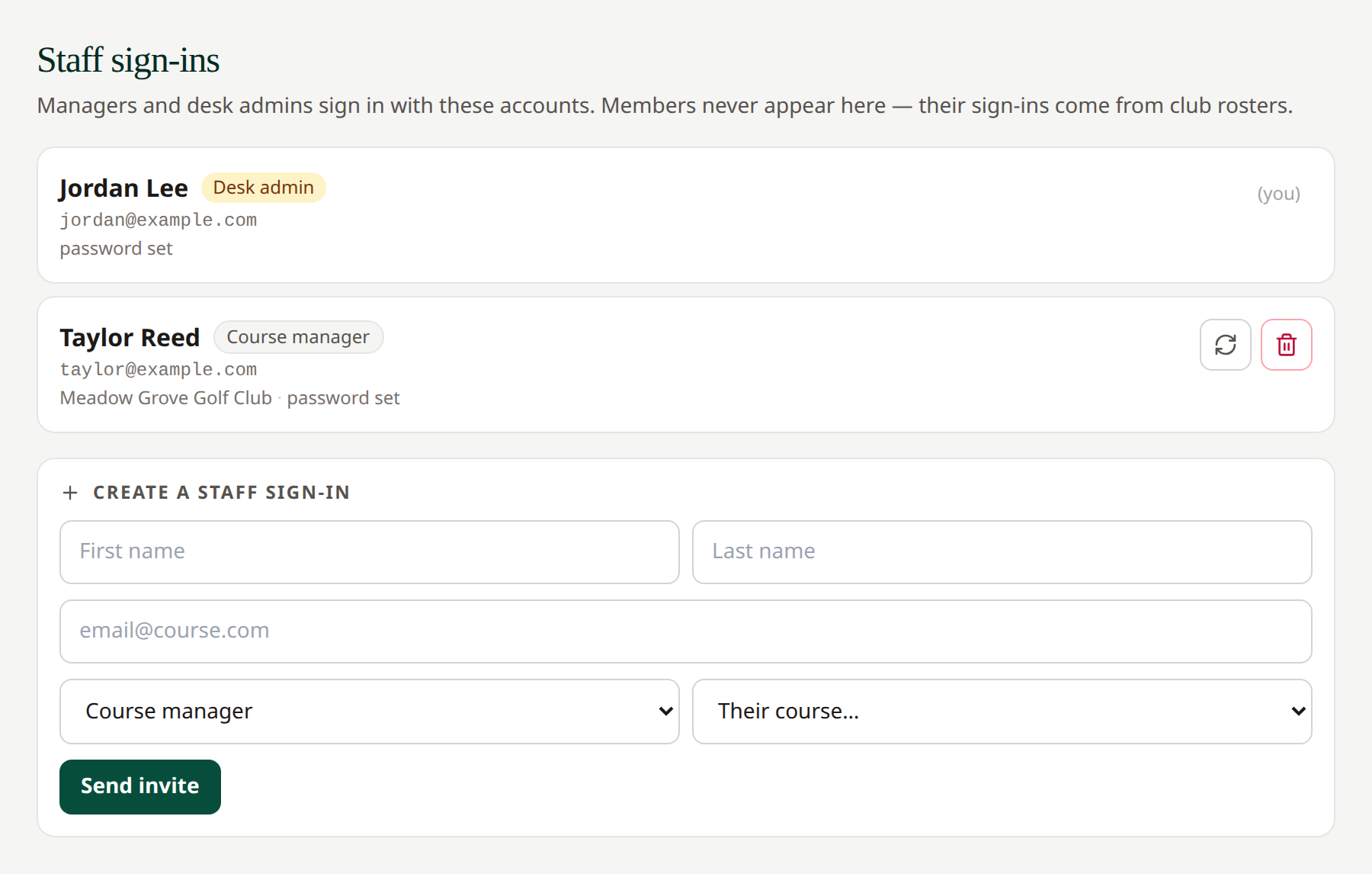 Check the selected role and course before sending an invitation.
Desk admins can manage the network; course managers are scoped to their assigned course. Existing-account conflicts or role restrictions appear as an error rather than silently creating another account.
Reset or remove staff
Use the reset icon beside another staff account to send a password-reset email. Use its trash control and confirmation to delete the staff account. Your own row is marked (you) and does not offer these controls.
The list distinguishes password set from first sign-in pending. An invitation does not mean the recipient has completed setup.
Related: Course managers · Password reset · Roster access