Appearance
Understand sequential and First Available routing
A request asks partner pro shops to find a tee time within your chosen date and time window. Submitting a request is not a confirmed booking.
Sequential routing
Select one to three distinct courses in preference order. The request starts with your first choice. If that course cannot host you, the request moves to the next live choice. A course's booking window determines when it can act.
You can skip or remove a choice while the request is pending. Once one course awards a time, the request is booked.
First Available
Turn on First available when creating a request and choose at least two distinct courses, up to three. Every selected course is active immediately; order does not give any course priority. First Available requests do not wait for sequential booking windows.
The first successful award completes the booking and closes the other choices. A denial closes only that course's choice while other choices remain live.
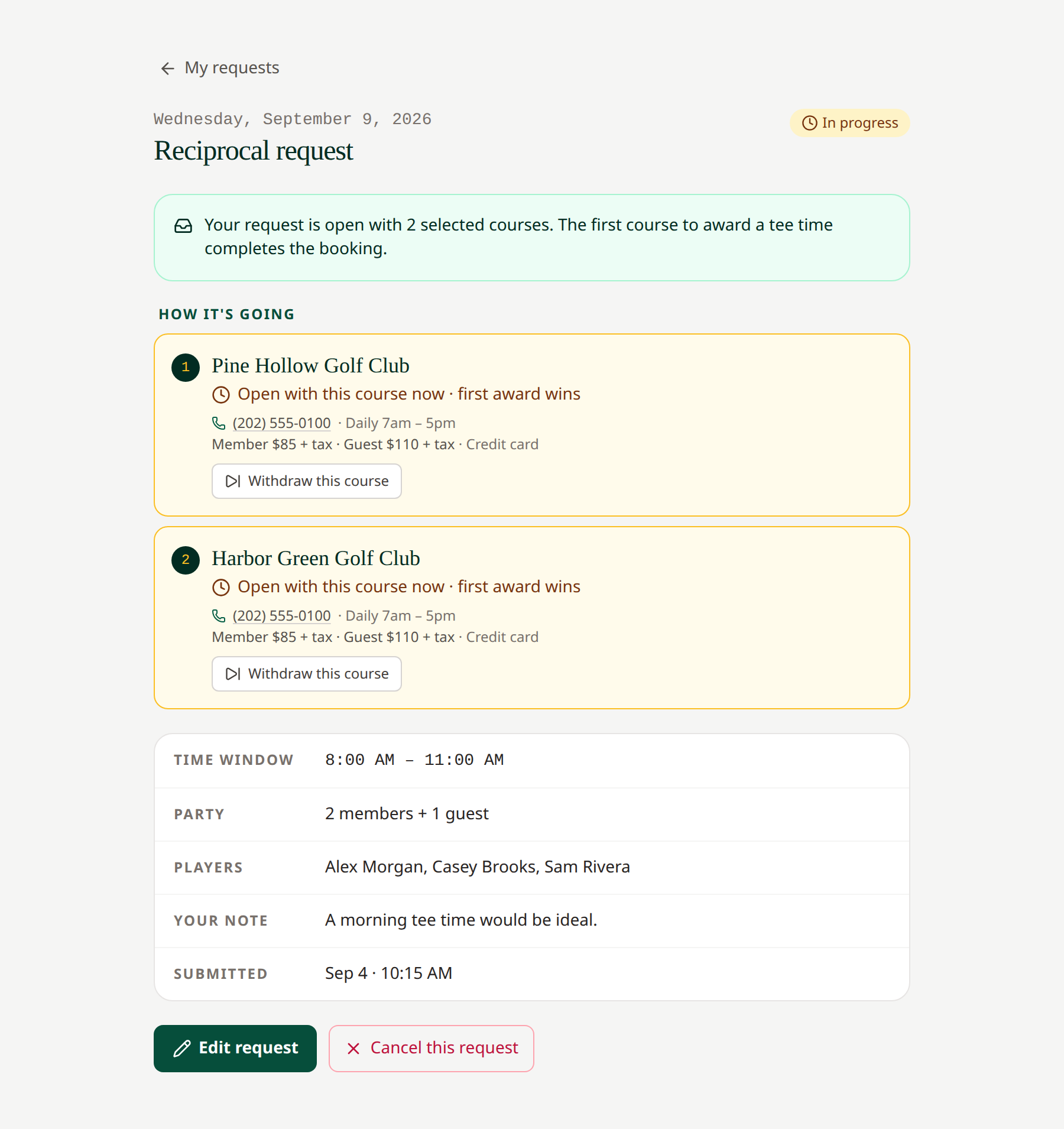 All selected courses can respond to a First Available request.
The routing mode is chosen when you create the request and cannot be switched in the edit form. To use another mode, cancel a pending request and create a new one.
Closures and unavailable choices
Maintenance closures produce warnings rather than automatically blocking submission. Read the course's notes and let the pro shop determine whether it can host you. A request that reaches its play date without a booking may eventually close as unbooked when the desk refreshes after that date.
Related: Create a request · Request statuses · Booking windows