Appearance
Maintain your course profile
Open Course Profile to update information members see when selecting your course and reading their booking.
- Enter Member rate and Guest rate. These are freeform: make tax and cart inclusions clear.
- Select accepted Tender options and enter other payment methods if needed.
- Update the address, pro shop phone, and shop hours.
- Set the Booking window (days before play) between 1 and 30 days.
- Review the example date showing when that window opens.
- Under Maintenance closures, select Add closure, enter a label and start/end dates, and remove obsolete entries with ×.
- Enter member-facing Notes.
- Select Save profile.
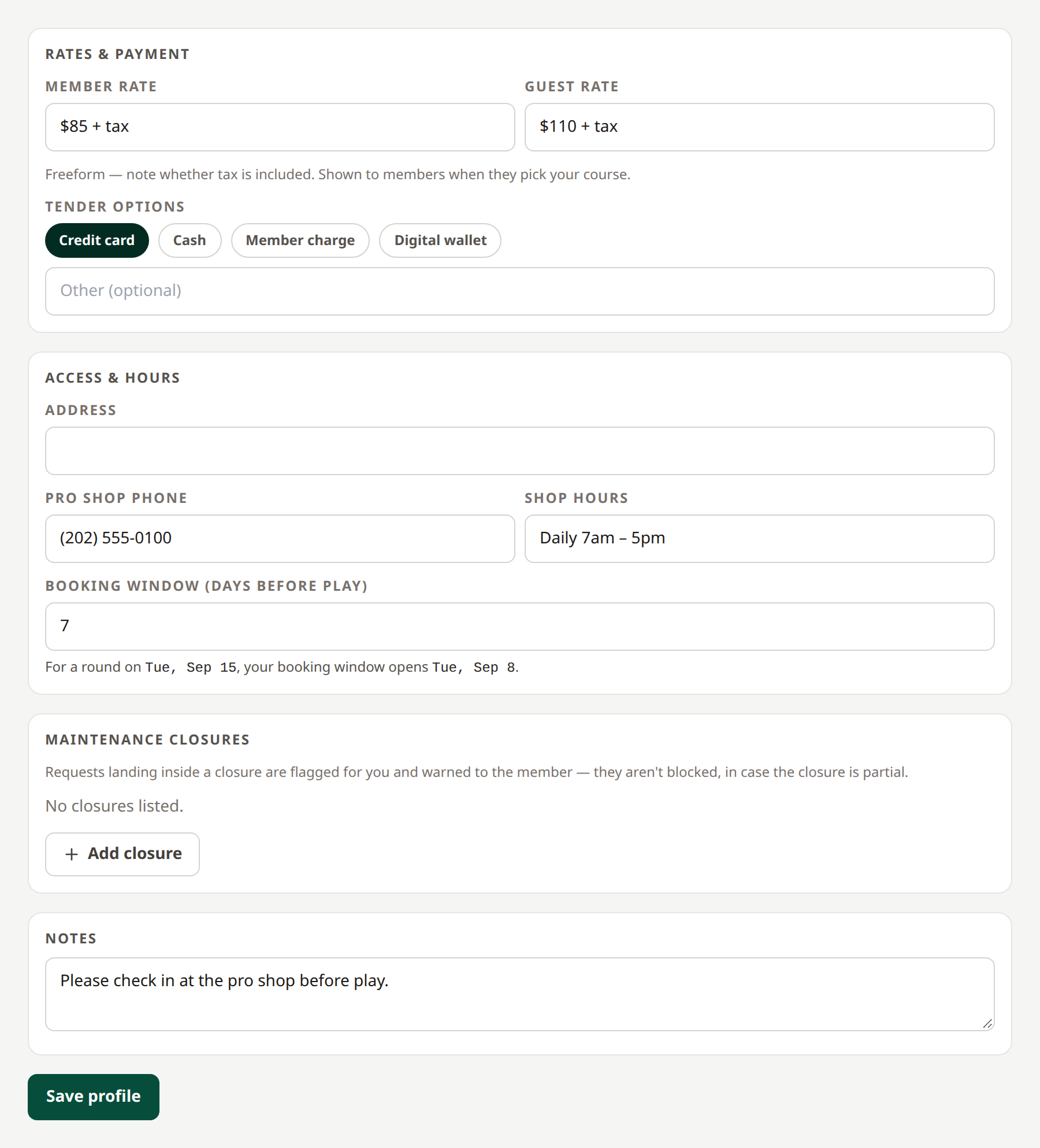 Course information is shown to members. Open full-size image.
Changing the booking window recalculates timing for open sequential requests. First Available requests remain immediately actionable. Closures warn members and staff; they do not block all requests, since a closure may be partial.
A closure needs both dates and cannot end before it starts. Blank closure rows are ignored.
Related: Routing · Partner directory · Branding
Rename your club
Edit Course name at the top of Course Profile and save the profile. A name is required. The new name appears after a successful save; the club’s identity, partnerships, and requests remain intact. Managers can rename their own club, and network administrators can rename any club.