Appearance
Manage your members' requests
Open Member Request Log to review requests submitted by members of your club. These home-pro-shop controls differ from acting as the host of a visiting request.
- Search the list by the available search field.
- Under View, filter by All, In flight, Booked, Unbooked, or Cancelled.
- Choose a field from Sort by: Submitted, Play date, Status, Member, Target course, or Origin club. Use the arrow beside it to switch between ascending (↑) and descending (↓) order. The default is newest submitted first; choosing another field keeps the current direction.
- Open a request and review the details and timeline.
Pending requests
Use Edit request to change the request, or Cancel request and its confirmation to stop it. Material edits can restart routing. Decision controls let you record phone-call outcomes for active non-network choices. When the request reaches a network club, that club’s manager awards or denies it and sends the notification; your award/deny controls disappear. For First Available, only active non-network choices assigned to your club are available for a decision.
Completed requests
Booked and unbooked requests are archival. To change one, use Reopen & restart at first choice or Reopen with all selected courses.
Reopening clears the current outcome and decision trail and makes the request pending again. The activity log records that it was reopened. Reopening is not a cancellation call to a host club; coordinate an existing reservation before restarting the request.
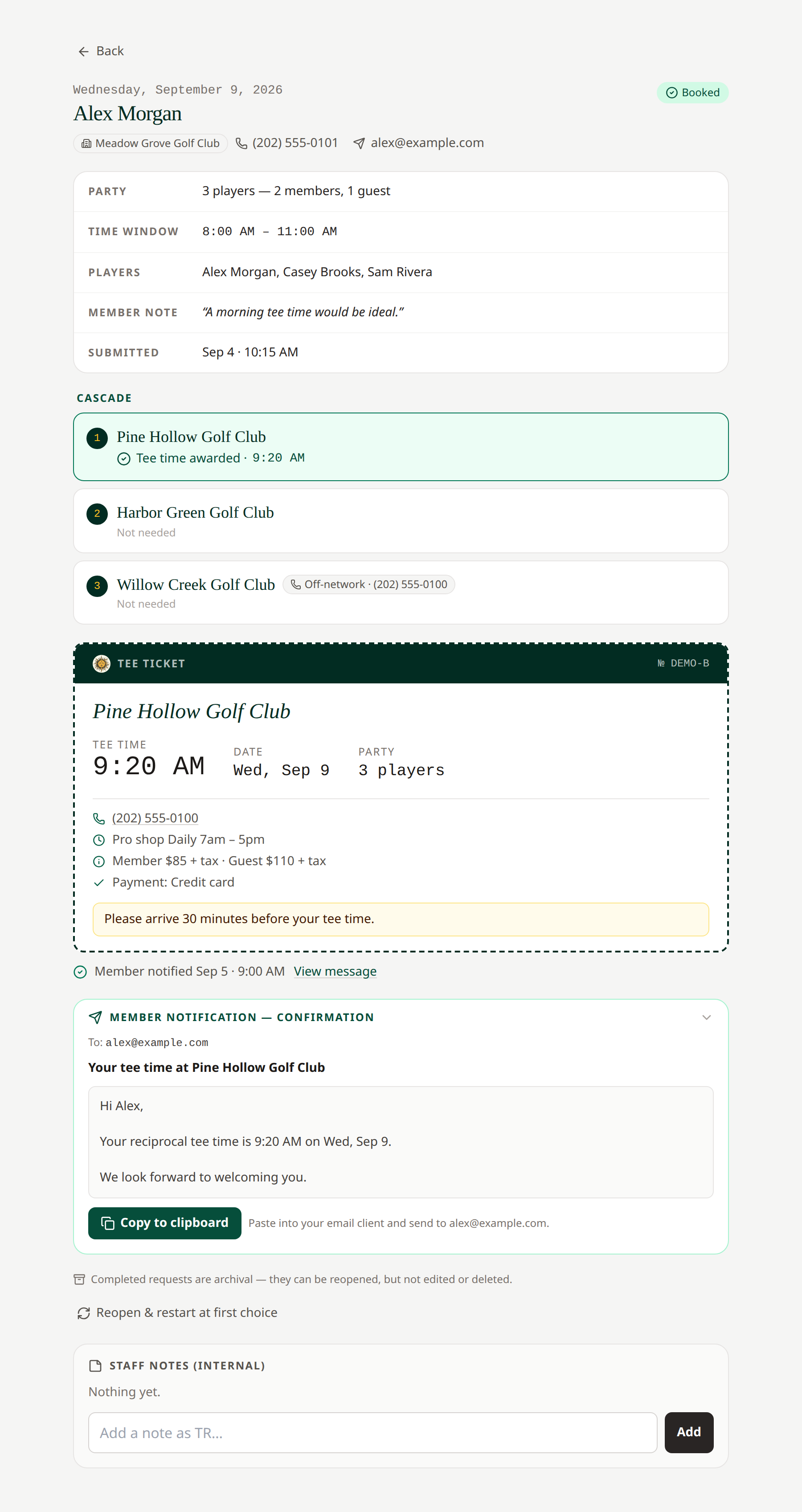 Review the current booking before reopening. Open full-size image.
Cancelled requests can be deleted with the two-step Delete this request control. Add a staff-only note in the request's internal notes area when colleagues need context.
Related: Activity · Request decisions · Member cancellation
Long request lists show 50 requests per page. Use Previous and Next below the list to move between pages. The range shows how many requests match. Filtering, searching, and sorting apply to the full list and return you to page one.
Submit a request for a member
Select New request for a member from the Reciprocal Request Inbox or Member Request Log. Search your active roster by name or email, select the member, and complete the usual date, time, party, course choices, and message fields. Select Submit request for member. The request belongs to the selected member and appears in their dashboard; normal routing and decision notifications apply. The Account Actions Log identifies the manager who submitted it. You can submit only for active members of your own club.