Appearance
Edit a pending request
You can edit a pending request. Booked and unbooked requests are completed records and do not offer member editing.
Editing uses the request’s original home club, and the club switcher is locked while editing. Return to My requests to switch clubs. Existing players remain on the request; search by at least two characters of a name or email to add active members of that home club. A search error can be retried without losing your changes.
- Open My requests and select the pending request.
- Select Edit request.
- Change the date, time window, players, course choices, contact phone, or message as needed.
- Read any warning about sending the request again.
- Select Save changes and review the updated request.
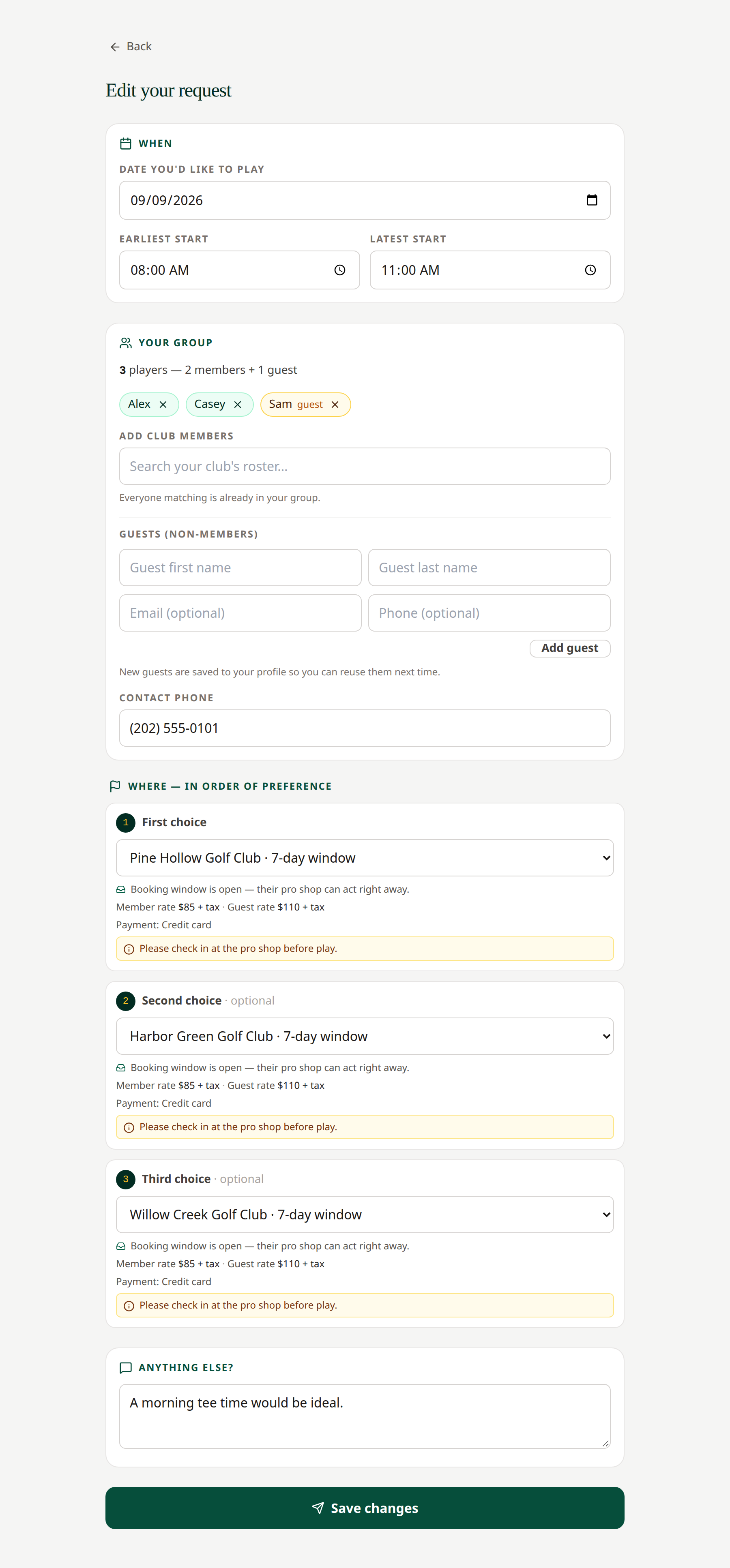 Check the date, time window, group, and course choices before saving.
Changing the date, times, member/guest counts, or course choices restarts sequential routing at the first choice, or reopens the selected choices in First Available mode. Earlier answers may no longer apply. Changes limited to names or your note do not have the same routing effect.
The routing mode itself is fixed. To use another mode, cancel the pending request and create a new one.
If a course completes the request while you are editing, the save may fail because the request changed. Refresh and review its current status.
Related: Routing · Guests · Cancel a request