Appearance
Read your Tee Ticket
When a course awards a tee time, open the booked request in My requests. Its Tee Ticket contains the details for your visit.
- Confirm the host course and play date.
- Read the awarded tee time, which is the confirmed time rather than the original requested window.
- Check any Additional times if your group uses more than one tee time.
- Review the party size, pro shop contact details, rates, payment methods, hours, and arrival note.
- Contact your pro shop if you need a change.
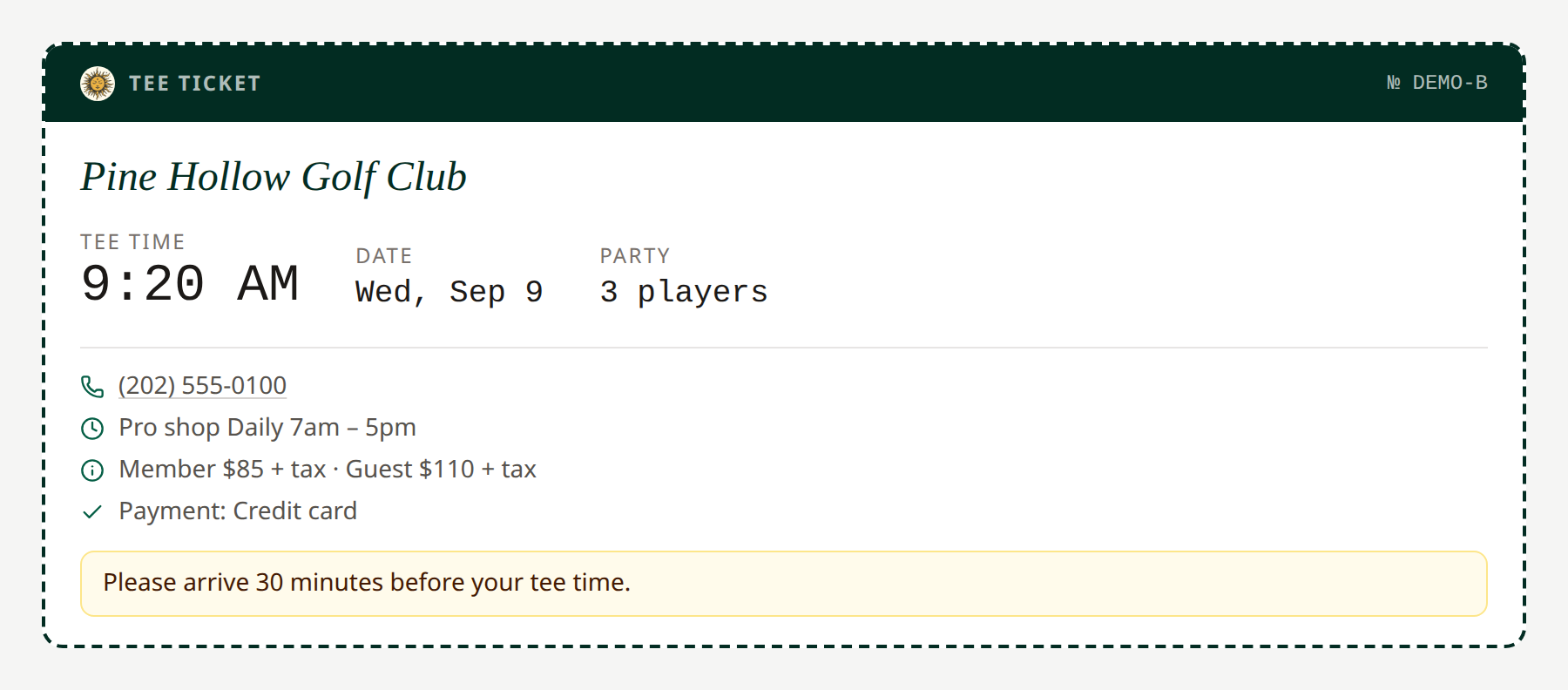 Course details and rates in this example are fictional. Open full-size image.
The ticket displays information supplied by the host course. Read any note to the member, such as an earlier check-in time. Opening the request also acknowledges its outcome update.
Related: Request statuses · Partner course details