Appearance
Add and reuse guests
A guest is a player who is not being added from your club's member roster. The group must still contain at least one club member.
Add a new guest
- Open a new request or edit a pending request.
- In Your group, find Guests (non-members).
- Enter the guest's first and last name.
- Optionally enter their email and phone.
- Select Add guest.
- Verify the guest appears in the group, then finish the request.
New guests are saved to your profile when you add them, even before you submit the request.
Reuse a guest
Choose the person from Reuse a past guest…, then select Add. A guest already in the group will not be offered again.
To remove someone from this group, select the × on their player chip. To remove them from your saved guest list, open My profile and use the removal control beside that guest.
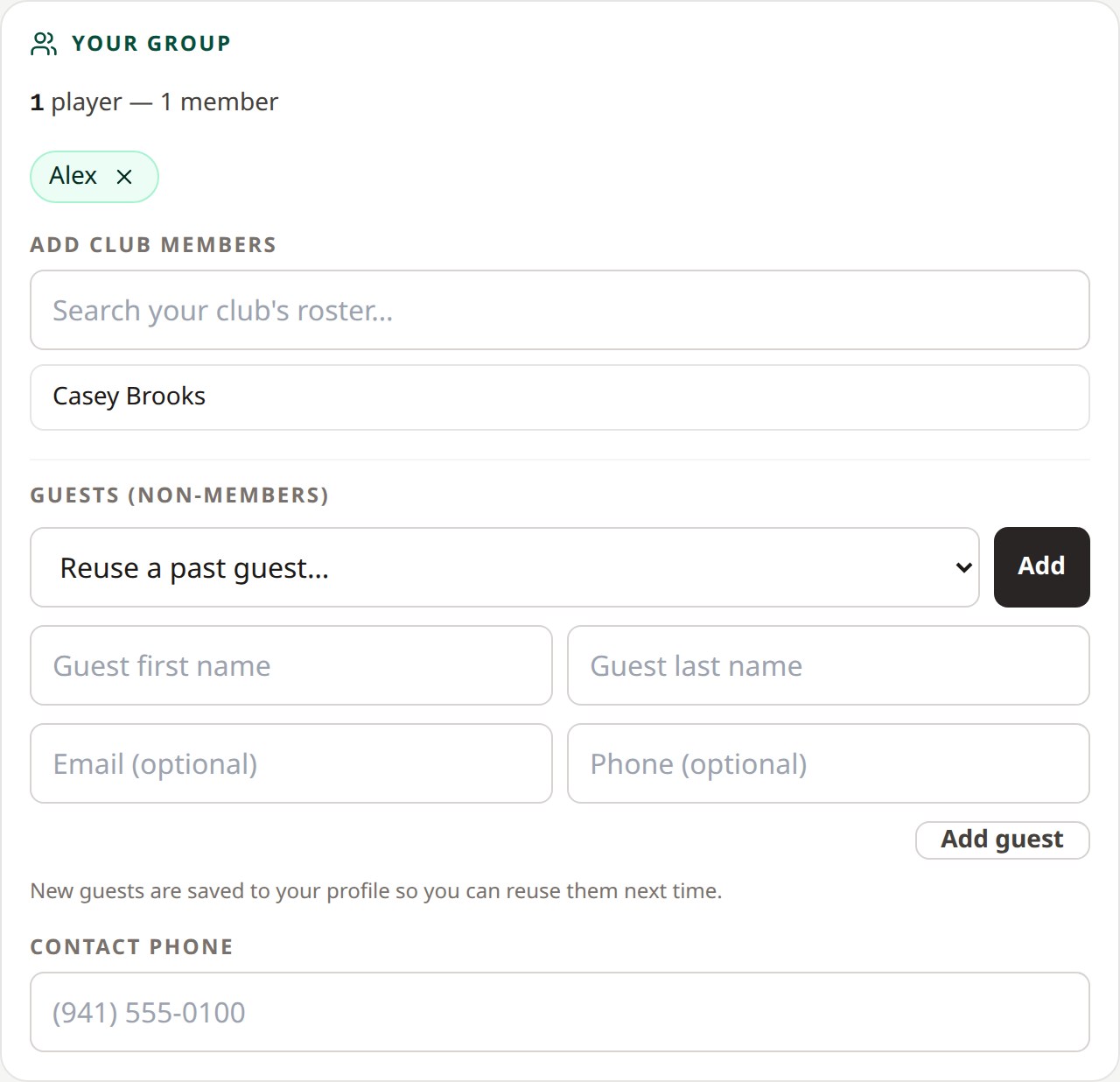 Add players from the roster or reuse a saved guest. Open full-size image.
Related: Create a request · Profile and club memberships