Appearance
Create a reciprocal request
Before starting, make sure you are viewing the correct club and know who will play. At least one club member must be in the group.
The home club is fixed while the form is open. Return to My requests to switch clubs before starting another request.
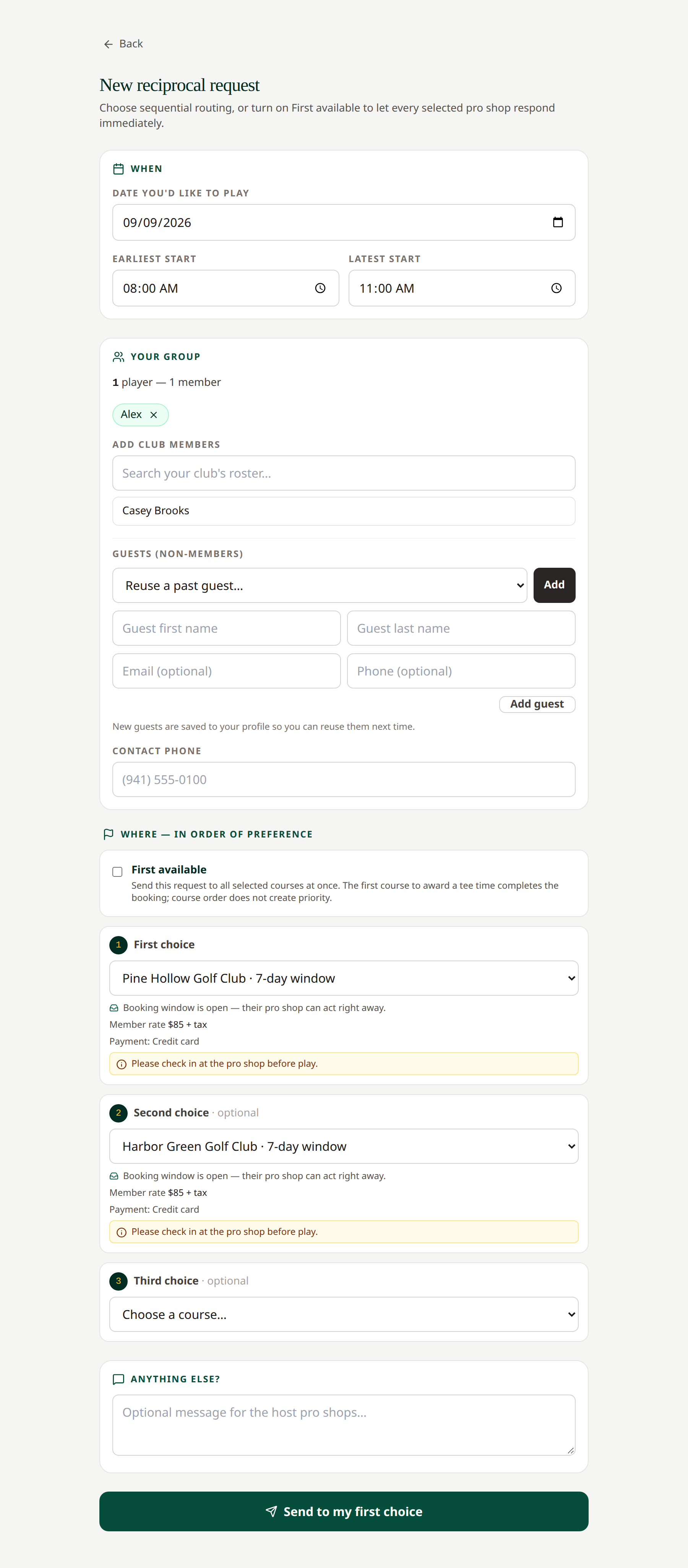
- Open My requests and select New request.
- Under When, choose a play date that is not in the past.
- Enter your Earliest start and Latest start. The latest time cannot be earlier than the earliest.
- Review Your group. You are initially included; type at least two characters of a name or email in the roster search to add active members of your home club. Members can appear even if they have not signed in yet. Narrow your search if more matches are available. Use the × on a player chip to remove someone.
- Add or reuse guests if needed, and enter a contact phone number.
- Under Where, choose your partner courses. Sequential requests need at least one distinct course; second and third choices are optional.
- For simultaneous responses, turn on First available and choose at least two distinct courses.
- Read the displayed rates, payment methods, booking-window information, closures, and course notes.
- Add an optional message under Anything else?.
- Select Send to my first choice or Send to all selected courses, depending on the routing mode.
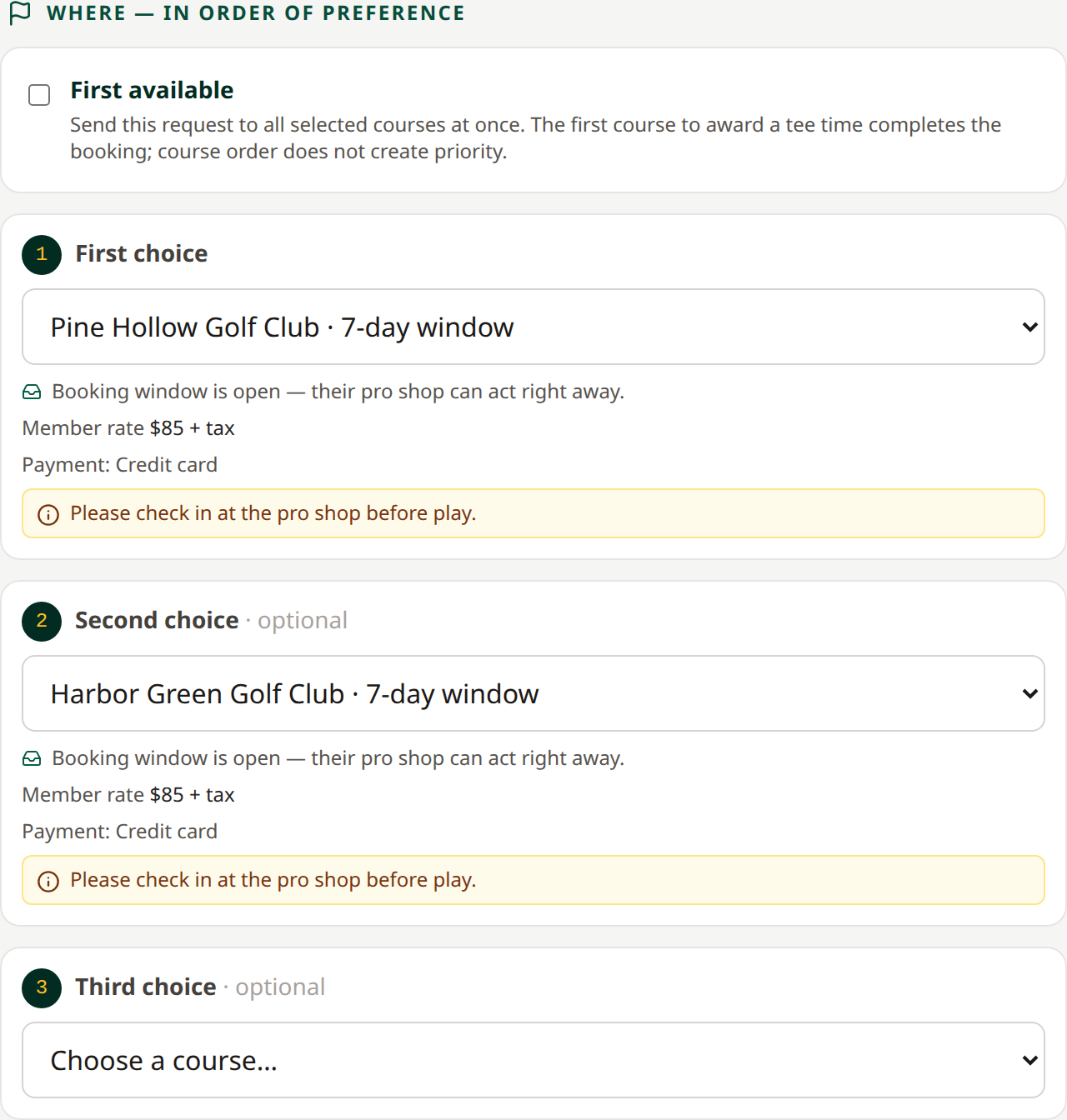 Review the selected courses before sending. See the complete request form.
The saved request appears in My requests. It becomes a booking only when a pro shop awards a time.
Duplicate course selections count as one choice. If no courses are available, ask your pro shop to activate partners.
Related: Routing explained · Track a request · Edit a request