Appearance
Track and filter your requests
- Open My requests.
- Choose In Progress, Booked, Unable to Book, or All. Unable to Book shows requests that ended without a booking; cancelled requests remain available under All.
- When the sort controls are available, sort by Play date, Submitted, Status, or Target course, and change the direction if needed.
- Select a request card.
- Read its status and the How it's going timeline.
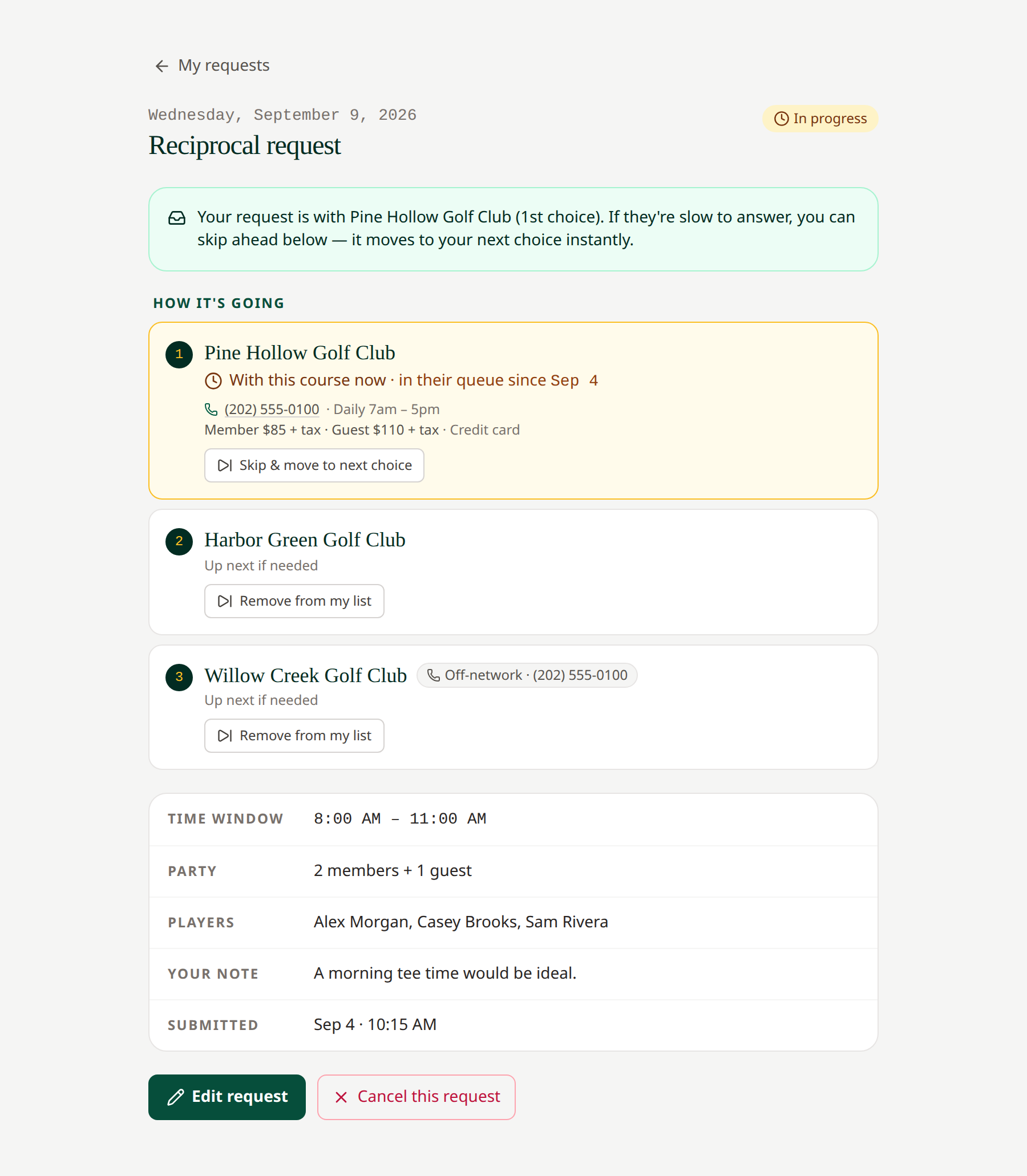 The timeline explains which choices are live and which have already answered.
For sequential requests, the page identifies the current choice and whether its booking window is open. For First Available requests, it shows how many selected courses remain live.
Select an update banner to open a new outcome. Use Mark all read to acknowledge all current outcome updates. Requests remain in your history.
If you belong to more than one club, request cards may carry club labels. Check the home club on the request rather than assuming every listed request belongs to the club currently selected.
Related: Statuses · Withdraw or skip · Tee Ticket
Long request lists show 50 requests per page. Use Previous and Next below the list to move between pages. The range shows how many requests match. Filtering, searching, and sorting apply to the full list and return you to page one.