Appearance
Record a non-network telephone booking
Non-network courses do not have a pro shop login in Reciprocal Desk. Your member's home pro shop phones the host and records the answer.
- Open Reciprocal Request Inbox and select the Outgoing calls you need to place tab.
- Open the request and verify the non-network course, date, time window, and group.
- Call the course using the listed phone number.
- If the host agrees to a time, select Award a tee time and enter the confirmed time, additional times, and member note.
- If the host cannot accommodate the group, select Deny this request, choose a reason, and confirm.
- Review the updated request and member notification.
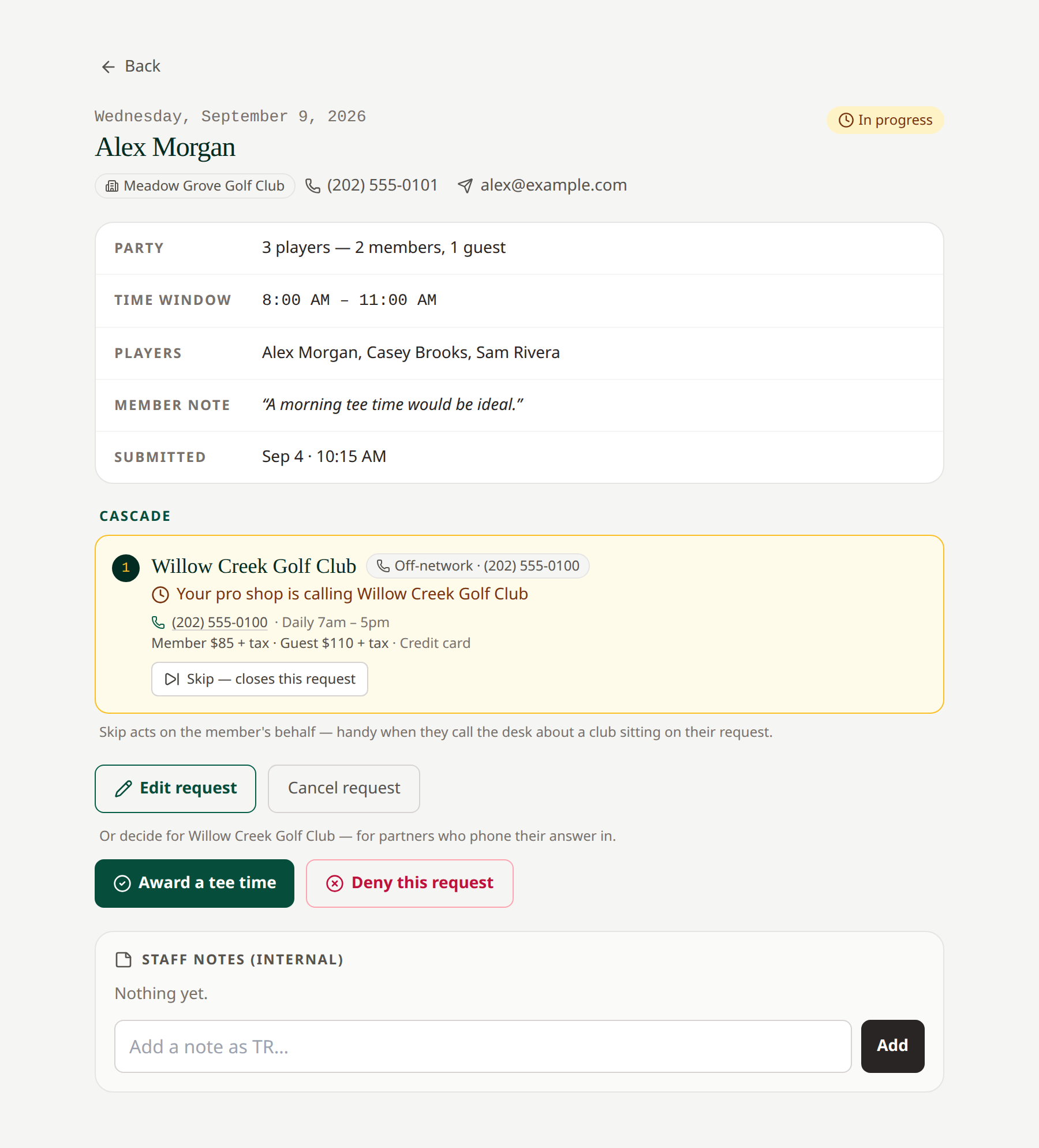 Call the host before recording its decision. Open full-size image.
An entry in the manual-call queue is work to arrange a booking; it is not itself a reservation. If several First Available choices are live, check that you are recording the decision against the correct course.
Related: Non-network partners · Award or deny