Appearance
Manage non-network partners
Use Non-Network Partners for clubs your pro shop will phone instead of asking them to sign in.
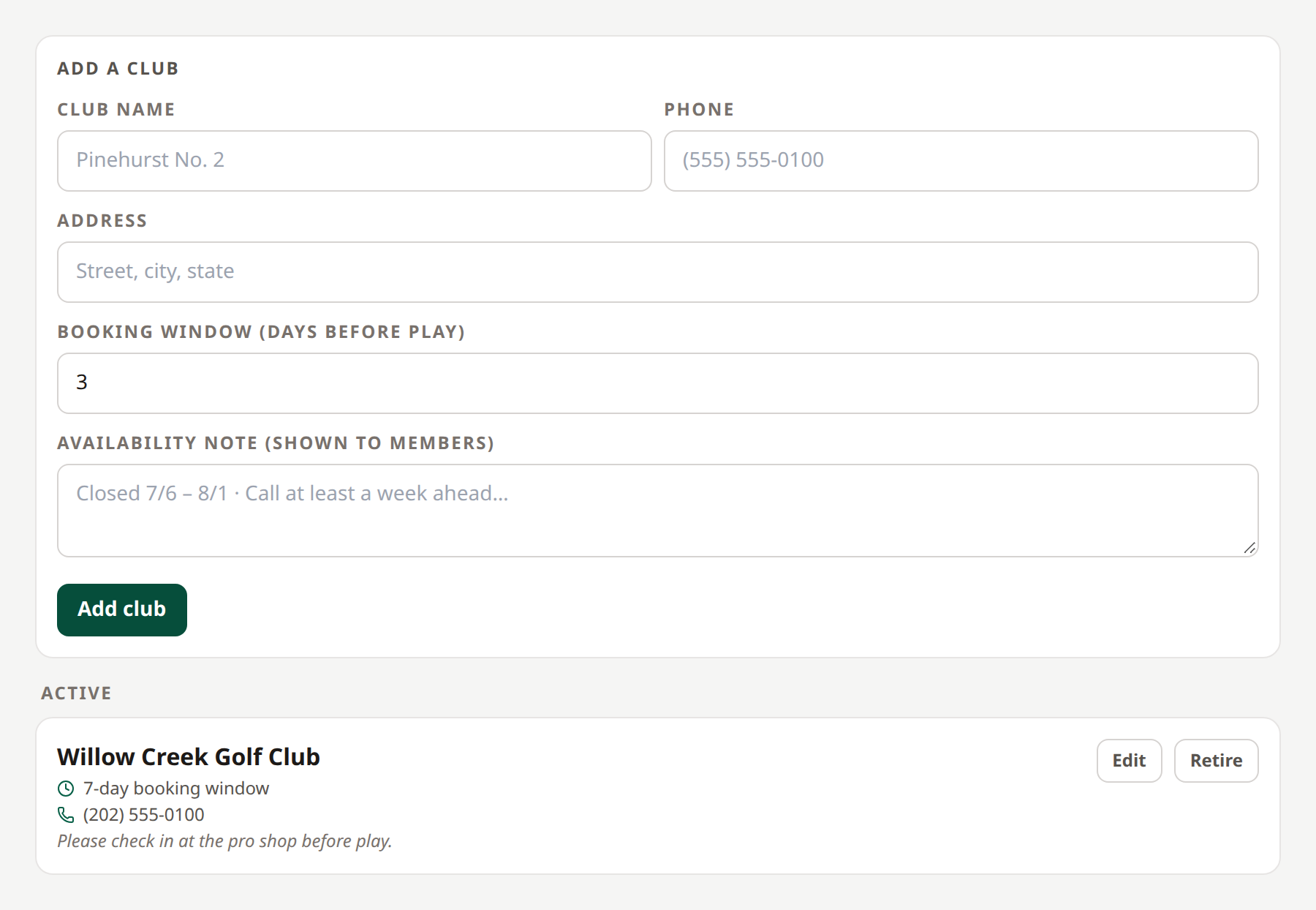
- Open Non-Network Partners.
- Enter the club name, phone, address, booking-window days, and any availability note.
- Select Add club.
- Verify it appears under Active.
- To change its information, select Edit, update the fields, and select Save changes.
 Your pro shop arranges these bookings by phone.
The club becomes available as a request choice for your members. When a request needs its answer, your pro shop handles the manual call.
Select Retire to stop offering it for new requests. If open requests still involve the club, the page reports that it cannot be retired yet; resolve those requests first. Retired clubs appear in their own section and can be made available again with Reactivate.
Retirement preserves the club record for history. It does not cancel a real-world reservation.
Related: Manual calls · Network partnerships